
How to Use Your Embrace Heating PadUpdated 8 months ago
Using Embrace is designed to be as intuitive as getting dressed. Here is exactly how to operate the interface and manage your battery for a seamless experience.
We recommend fully charging Embrace before your first use to ensure the best performance.
Use the USB-C cable included in the box.
The Control Center
The single-button interface keeps your relief simple and streamlined:
Power On/Off: Press and hold the temperature button for 3 seconds.
Cycling Heat: By default, Embrace always starts at the Lowest setting. Simply press the button again to move through the levels:
Low: 1 White Light (⅓ brightness) — Perfect for subtle, long-term wear.
Medium: 2 White Lights (⅔ brightness) — Ideal for steady, soothing comfort.
High: 3 White Lights (Full brightness) — Best for deep, targeted warmth.

Battery & Power Management
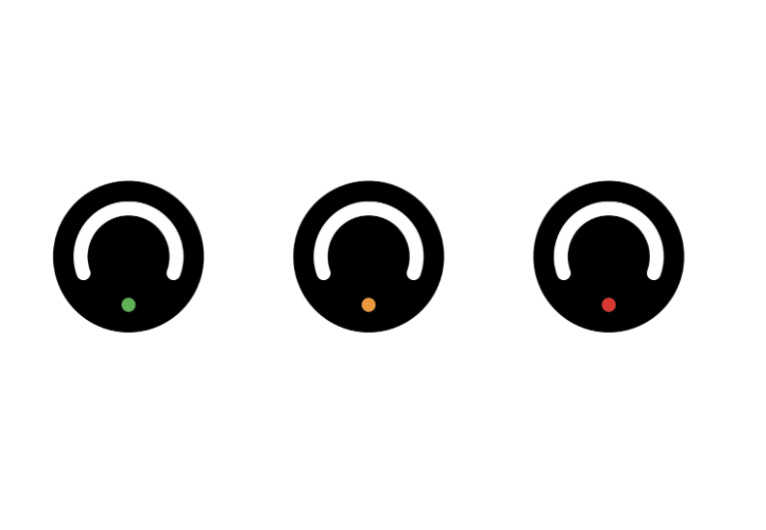
Embrace is powered by a high-capacity 5000mAh battery. To ensure you’re never caught without relief, keep an eye on the color-coded status indicator:
Green: 100% to 30% — You’re good to go.
Orange: 30% to 10% — Relief is still there, but keep your cable handy.
Red: <10% — Recharge required.
Estimated Endurance per Charge:
On Low: Up to 3 hours
On Medium: Up to 2 hours
On High: Up to 1 hour
The "First Run" Tip: For the best battery longevity, please fully charge the device before its first use using the provided USB-C cable.
Smart Safety Shut-Off
We’ve built in a 45-minute automatic safety timer. This ensures energy conservation and provides peace of mind, especially if you’re using Embrace to drift off to sleep or during a busy workday. If you need more time after it shuts off, simply hold the button for 3 seconds to begin a new cycle.